Kezacode - understanding source code
Introduction
Kezacode provides tools for understanding source code (or program comprehension), including complex software with large source code.
The generated web documentation follows these principes:
- Provide a high level overview of the software before diving in source code details.
- Allow the user to navigate in documentation, at different software design levels (source code, components, subsystems, architecture...)
- Provide good entry points to start exploring (main components, concepts, basic directory explorer...)
- Use Software analysis to extract information from the source code; combine it with manual documentation for better results
Understanding source code directory structure
Kezacode Directory Explorer
The explorer facilitates understanding source code directory structure and its content.
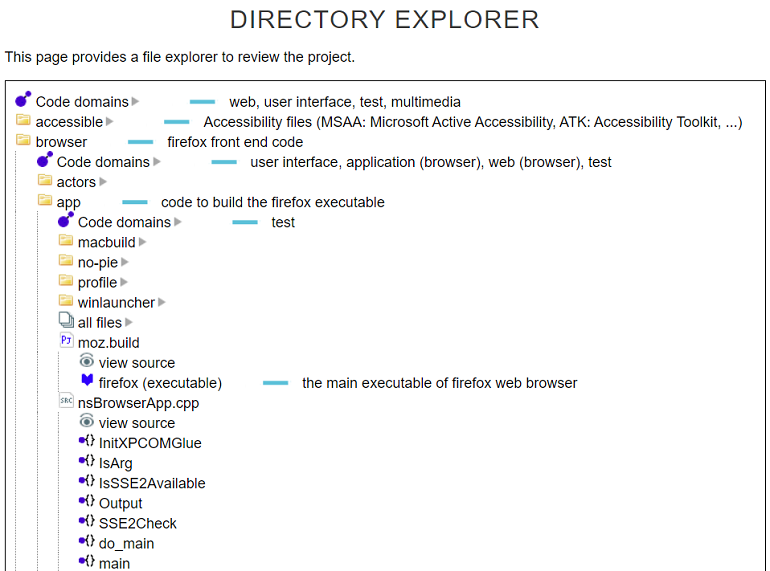
- A description is directly provided next to the folder name
- In some cases, code topics are associated to the folder, based on the analysis of its content (Is it for User Interface? Multimedia? Networking? etc). This helps when no description is available.
- When opening a project file, the explorer lists the components (generated by the project), with their type and a description (if available). You can navigate to the component page for more information.
- When opening a source code or interface file, the explorer displays the high level code content (namespaces, classes, interfaces, functions...).
- The content of actual files can also be accessed
You can explore real projects by following the links: Explore Firefox source code, Explore VLC source code.
Comparison with existing solutions
Web tools already exist to visualize source code directories and content (Git, Mercurial, Opengrok, code search, other...):
Some explorers display the readme file for a folder,
- but you first need to navigate to the folder to see its content. By comparison, Kezacode displays a description next to the folder for a faster review.
- Moreover, a Readme file may not be avaible. Kezacode has additional methods to get descriptions (manual documentation, description in a project file...)
These explorers lack higher level views when displaying files content (like displaying the components generated by a project file)
Understanding key components and dependencies
Software components review
Kezacode extracts components generated by the build system and their dependencies, then it generates a web documentation.
- The "software summary" web page displays the main components sorted by types (executable, library...). From here, you can navigate to the component detailed information.
- The Components review table lists all the components by name, type, project type, directory. It is possible to filter the list based on these criteria. Again, from here, you can navigate to the component detailed view or the directory hosting the build file.
- The component detailed view provides more information (description, dependencies, project file, etc) with hyperlinks
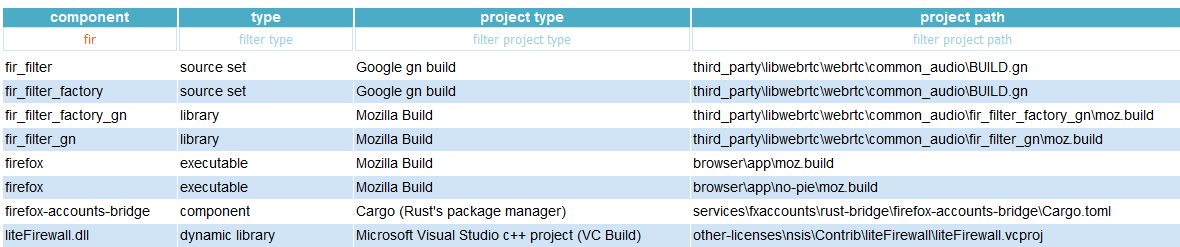
Hence, it is easier to understand where the main program is generated, what its dependencies are, etc. It easier to understand the high level software architecture and components organization.
Kezacode partially supports the following build / project files:
- Makefile, Automake, CMake,
- Visual studio, Apple XCode,
- Google Gn, Gyp, Bazel, Android blueprint,
- Ant, Maven, Eclipse, Gradle, Java modules, Netbeans,
- Json packages,Cargo (Rust),
- Mozilla build, Libreoffice GBuild, Linux kconfig
Kezacode makes an approximative analysis of the project files, so it may miss information or simplify the result of the build process, especially with complex build content.
Components dependencies explorer
The components dependencies explorer displays a graph of the components and their dependencies.
- It is dynamic: by placing the cursor on a component, its parents or children are displayed
- An optional panel on the right can be used to view a description of the component, the parents and children as a text list, and navigate further in the documentation.
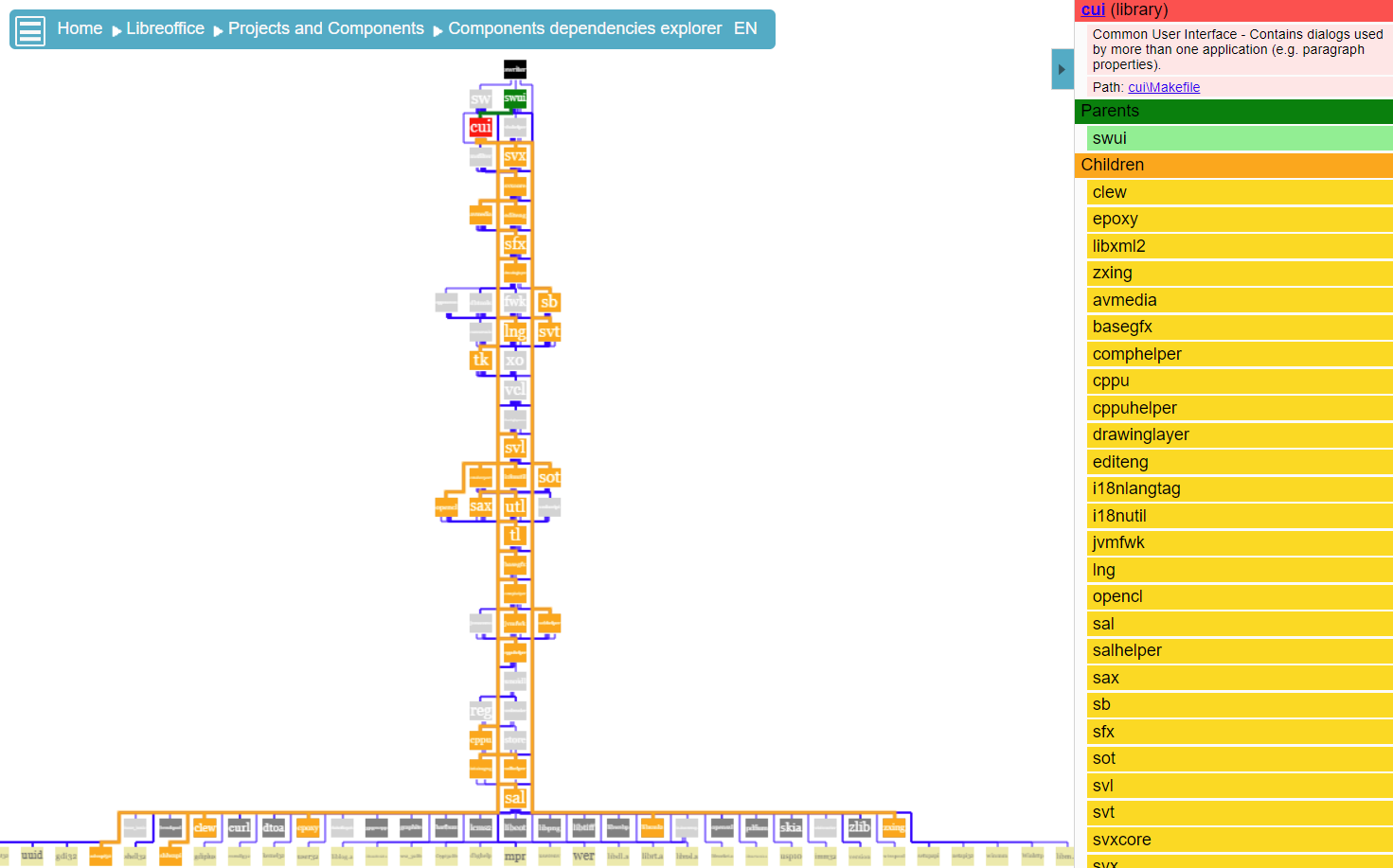
- As the graph can be complex, it is possible to zoom in / zoom out, filter the view on a specific component and its descendants.
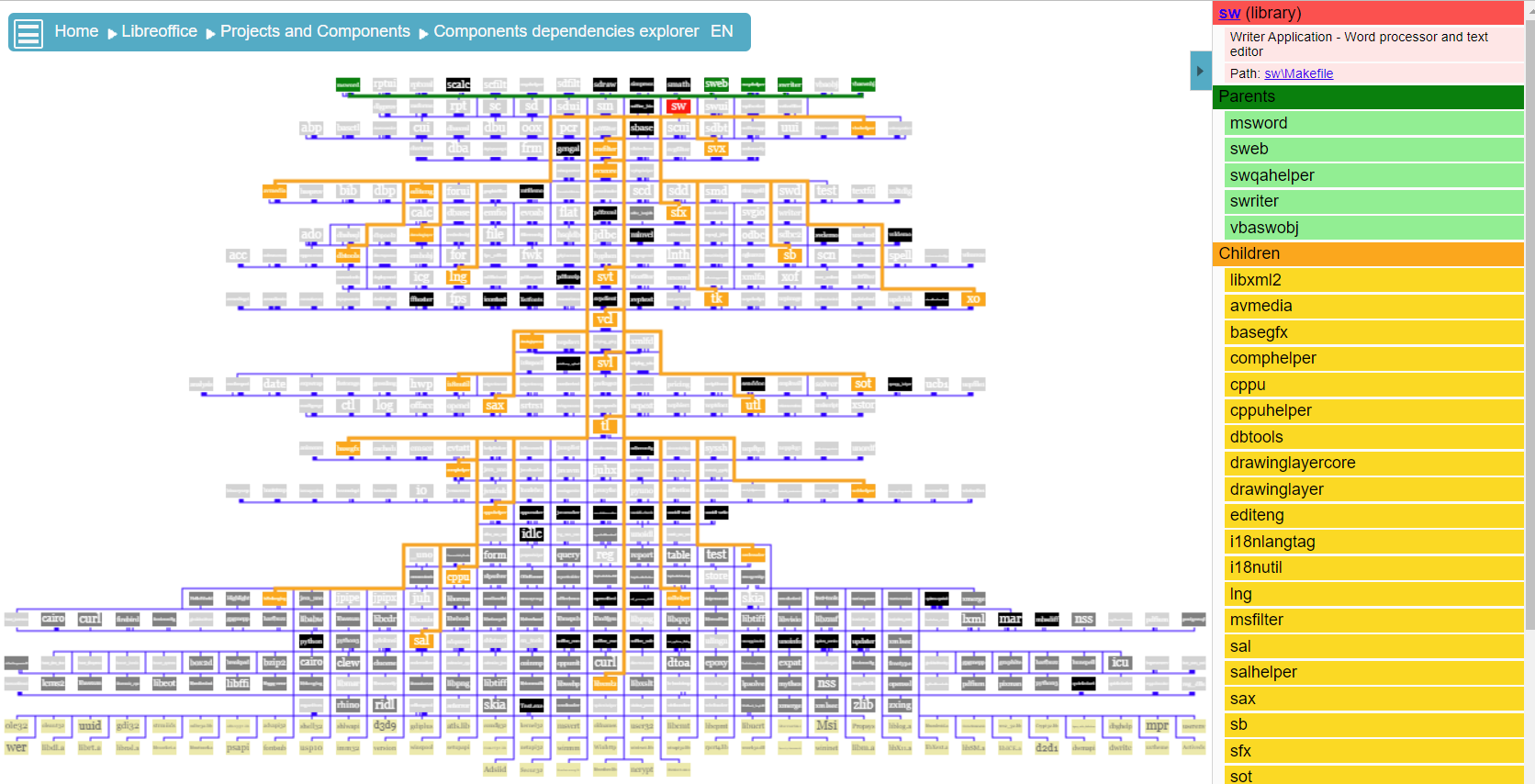
As you can see above, the full component graph can be complex. Hence, it is possible to focus on specific component and its descendants, this is shown by the graph below.
You can view components dependencies of real projects by following the links: Explore Libreoffice component dependencies, Explore VLC component dependencies.
Third party components review
Kezacode looks for known third party software components or libraries. This helps providing additional information as well as discovering topics / code domains related to the main source code.
Comparison with existing solutions
IDEs / Development environments can provide a view of projects and their components, but they are limited. There is no obvious kezacode equivalents.
Source code Topics (or code Domains)
Applications tend to focus on specific usages (office, web, multimedia, etc.). Source code directories or components also tend to focus on specific domains (user interface, networking, etc.).
Kezacode analyses the source code to discover these information.
- The code domain explorer provides an ordered list of topics (or domains).
- Moreover, the explorer can be used to find the folders or components associated to a domain. You can answer a question like: "where is the networking code"?
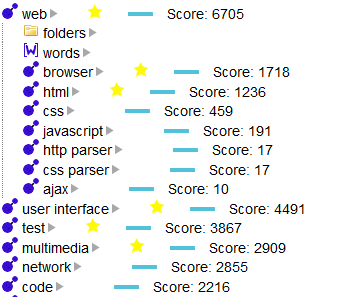
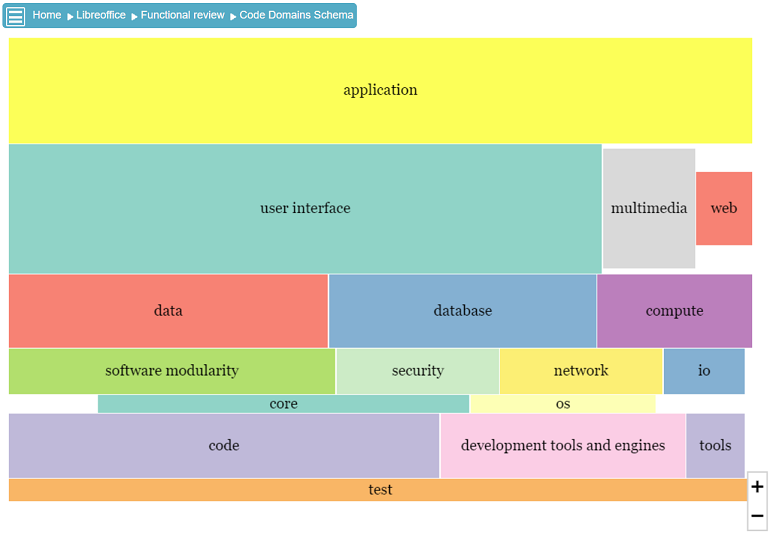
The code domain schema is an alternative version of the explorer.
- It provides a graphic reprensentation of the domains. Higher level domains are usually displayed on top, lower level domains are at the bottom.
- It is possible to zoom in / zoom out. Additional details are displayed when zooming in.
- The schema is interactive. It is possible to click on some information and navigate from here.
Source code
Code Interfaces
Looking at the APIs, Services / Interfaces / Functions of a software is a good way to understand what it does. Kezacode analyses interface declaration files. The aggregated result can be viewed in the external interfaces section. Each code file content can also be accessed through the Directory explorer.
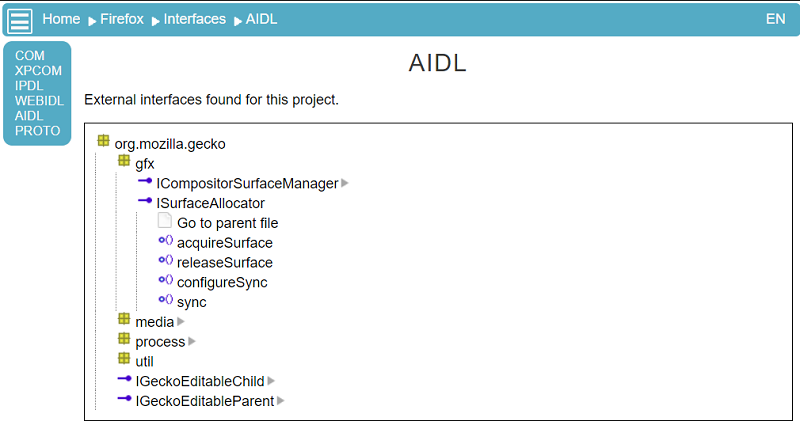
Kezacode current supports (or partially support):
- AIDL (android)
- HIDL (android AOSP)
- IPDL (mozilla)
- MOJO (google)
- COM IDL (microsoft)
- PROTO (google)
- UNO IDL (openoffice / libreoffice)
- WEB IDL standard
- XPCOM IDL (mozilla)
Manual documentation, concepts, hyperlinks to code content
Manual documentation
Kezacode gathers several sources to generate a documentation:
- a source code analysis
- a manual documentation written specifically for the target software: web pages, descriptions attached to folders or components, urls
- shared knowledge : external libraries / known software and their description...
Concepts
Another way to understand code is to understand the main concepts (or topics / components).
Kezacode provides a list of concepts that can be used as an entry point to understand a software, then navigate to the related components or source code directories.
Documentation with hyperlinks to the code
The manual documentation can be enriched with hyperlinks
- to the Directory Explorer, and specific parts (folder, project file and a component it generated, code file..)
- to a component, either its dedicated web page, or its location in the directory or in the dependencies schema.